
Surveillance Camera: Visory
Saby Baby monitor LtdHouse & Home
4.52.83K Reviews
- Version
- 1.52.1
- Installs
- 10.00M
- Age Rating
- Everyone
Screenshots
Our Review of Surveillance Camera: Visory
 Analysis by Appyee
I’m most interested in Visory for one practical reason: it turns a phone into a way to check a camera remotely, rather than making me rely on being in the same room as the equipment. That shift matters when I want to see what is happening at home while I’m elsewhere, but it also sets the right expectation. This is a companion for keeping an eye on a space, not a substitute for thinking through where a camera belongs, how dependable the connection is, and what I actually need to monitor.
The useful idea: checking a camera from elsewhere
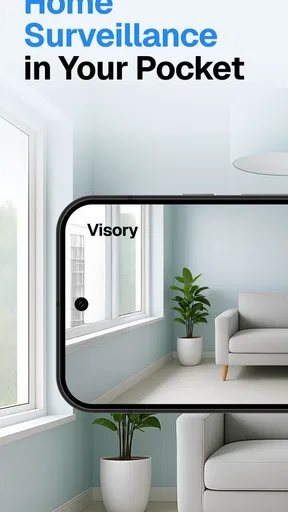
Surveillance Camera: Visory is a home-focused app from Saby Baby monitor Ltd. Its central appeal is straightforward: I can use my phone as a remote viewing point for a home camera. That is most useful when I want a quick visual check without making a special trip back home or setting up a dedicated monitor that stays in one place.
For me, the strongest case is occasional reassurance rather than constant surveillance. If I am away and want to check a room, having camera access on a phone is more convenient than a fixed screen. The trade-off is that the experience depends on a working camera setup and a usable network connection at both ends. Remote access is only helpful when those pieces are in place.
How I would fit it into a daily routine
I would first decide on one clear purpose for the camera: for example, checking an entryway or seeing whether a room is occupied. A defined purpose makes it easier to choose a sensible camera position and avoid turning every notification or glance at the screen into a reason to keep checking. I would also test the arrangement while at home before relying on it from outside, so I know what the view looks like and whether the connection is dependable in the places I care about.
A realistic use would be leaving home for errands and checking the camera once after arriving at a nearby stop, rather than watching a live feed throughout the day. That brief check can answer a simple question, but it should not be treated as proof that everything is secure. A camera view covers only what it can see, and a phone-based check cannot replace a proper response plan if something genuinely seems wrong.
It helps to think about the phone as a viewing screen, not as the camera itself. The camera still needs to be installed and positioned where it can show something useful; the app’s role is to make remote viewing more accessible. Before depending on it, I would confirm that the camera has power, the image is framed as intended, and the home network remains available where the equipment is placed.
Getting Started with Visory
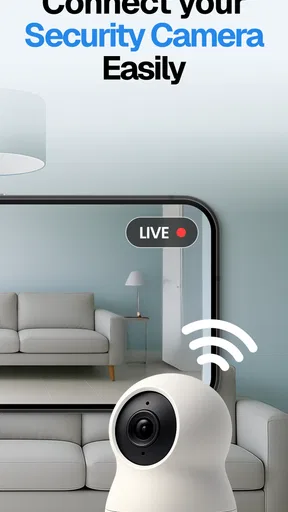
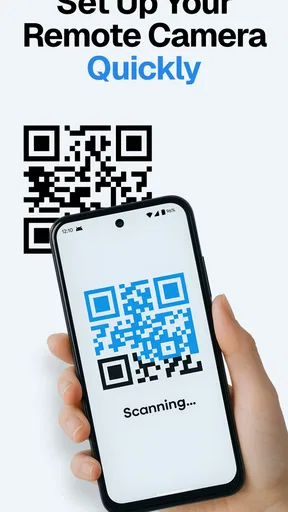
Setting up Surveillance Camera: Visory was a breeze. Honestly, I’ve struggled with techy stuff before, but this app makes it super simple. You just download it, connect your cameras, and you’re off to the races. It supports a wide range of camera models, so you’re likely covered no matter what gear you have.
What really stood out to me was how user-friendly the interface is. You don’t need to be a tech wizard to navigate through the app. The options are clear, and everything is just a tap away. It’s like having a security control center right in your pocket.
Features That Stand Out
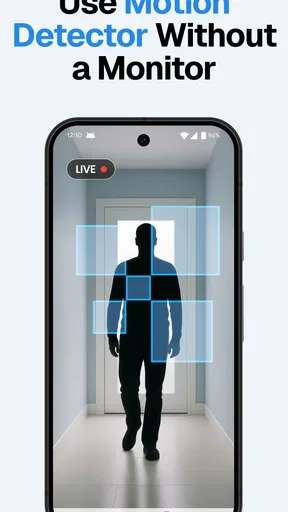
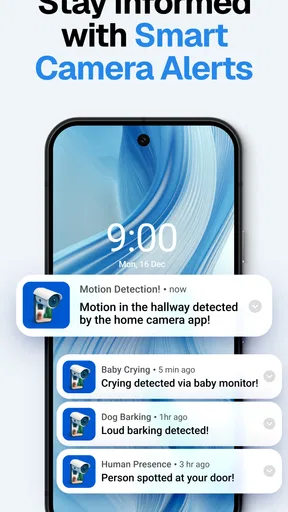
Now, let’s talk features. One of the coolest things about Visory is its motion detection alerts. You get notified instantly if there’s any movement detected, which is perfect for peace of mind. I tested this out, and the alerts were spot-on and timely.
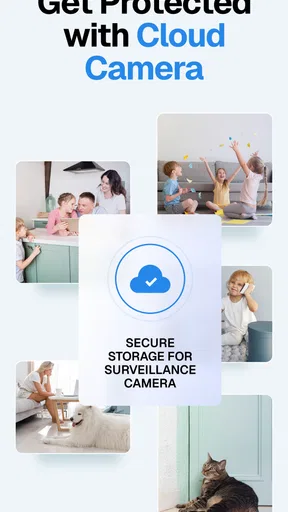
The app also offers cloud storage options, which is a big plus if you’re worried about losing footage. I found this feature especially handy, as it lets you access video history from anywhere. Plus, the quality of the video feed is top-notch, even on a mobile device.
Making alerts and recorded video useful
Motion alerts can be helpful, but I would treat them as prompts to look rather than as a complete account of what happened. A passing person, changing light, or activity outside the area I care about may not be meaningful to me. If alerts become distracting, the practical fix is to reconsider the camera’s view and the situations in which I want it to notify me, rather than assuming every alert requires immediate action.
Cloud video history serves a different purpose from a live view: it can help me review an event after it has happened, while live viewing is for checking what is going on now. I would decide in advance whether keeping footage is important to my use case and look carefully at the available in-app options before paying for anything. Visory is free to install, but it includes in-app purchases ranging from $2.99 to $99.99 per item, so the price of optional features should be considered against how often I expect to use them.
One useful habit is to check a short recording or view after changing the camera position, rather than assuming the new angle is still useful. A small adjustment can leave a blind spot or point the camera at an unhelpful area. This is especially worth doing if the aim is to check a particular doorway or room: a view that looks broad on a small phone display may not show the detail I actually need.
Where it differs from other home-monitoring choices
Compared with a dedicated monitor, a phone-based approach is easier to carry and can make remote checks more convenient, but it ties the experience to a personal device and its connection. A standalone camera system may be a better fit for someone who wants a purpose-built setup with equipment chosen as a package. A basic camera viewer may suit someone who only needs to look in occasionally, while Visory’s appeal is the combination of remote viewing with features such as alerts and cloud video history.
I would not choose it just because I want a general home-security solution. The app is most compelling when there is already a compatible camera arrangement to connect and I value checking it from a phone. If I need a complete alarm system, round-the-clock professional monitoring, or a guaranteed record of every event, I would look for a service designed around those requirements instead of assuming a camera app can cover them.
A Few Quirks
No app is perfect, right? While I loved using Visory, I did notice that it can drain your phone’s battery if you’re streaming live footage for too long. So, it’s probably a good idea to keep your charger handy if you’re planning to use it extensively.
Another thing to keep in mind is the need for a stable Wi-Fi connection. Without it, you might experience some lag or dropped connections, which can be a bit frustrating if you’re trying to keep tabs on things in real-time.
Those limitations change how I would use it: short, purposeful checks make more sense than leaving a live feed open in the background. If the connection is unreliable in the room where the camera sits, I would fix that underlying setup before depending on remote viewing. Likewise, someone who needs continuous viewing throughout the day should consider the extra battery use and whether a dedicated screen or another arrangement would be more comfortable.
Who is likely to get the most from it?
I think Visory fits people who already have a home camera, want to check it away from home, and prefer using a phone rather than returning to a fixed viewing station. It can also suit someone who wants movement notifications or a way to revisit stored video, provided those functions match their needs and they are comfortable reviewing the in-app purchase choices.
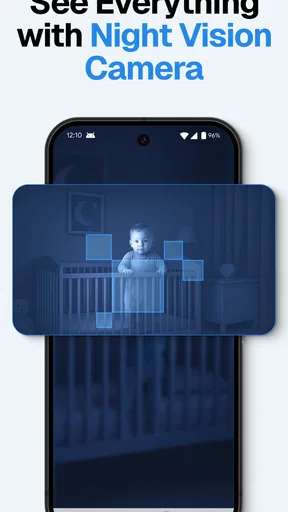
I would be more cautious if the goal is to monitor a person who needs direct care, to protect a high-risk property, or to guarantee that a critical event is captured. A camera and a phone connection can be useful aids, but neither makes the system infallible. For a child, an older relative, or a pet, a camera should support appropriate attention and care rather than replace it. I would also skip this app if I do not have a compatible camera or do not want to depend on Wi-Fi for remote checks.
Visory is free to download, is rated for Everyone, and has an average rating of 4.4 from around 437,000 ratings, with over 10 million installs. Its current version is 1.26.2, and it requires Android 8.0 or later. Those figures suggest that it has reached a broad audience, but they do not change the practical question: whether its camera connection, viewing workflow, and optional purchases suit my own setup.
Final Thoughts
All in all, Surveillance Camera: Visory is a solid choice for anyone wanting to enhance their home security setup. It’s packed with useful features, easy to use, and gets the job done without a hitch. If you’re on the hunt for a surveillance app that won’t let you down, I’d definitely recommend giving Visory a shot. Who knew a little app could offer such big peace of mind?
My recommendation comes with a condition: treat it as a convenient way to check a camera, not as a promise that every connection or alert will be perfect. If remote access, motion notifications, and recorded video match a clear everyday need, it is worth considering. If your priority is a fully managed security service or uninterrupted monitoring, a different kind of setup will be a better fit.
Privacy and Permissions
See what permissions an app requests and how it handles your data.
- Photos/Media/Files
- read the contents of your USB storage, modify or delete the contents of your USB storage
- Storage
- read the contents of your USB storage, modify or delete the contents of your USB storage
- Camera
- take pictures and videos
- Microphone
- record audio
- Other
- view network connections, pair with Bluetooth devices, change network connectivity, full network access, change your audio settings, run at startup, control vibration, prevent device from sleeping, Google Play license check, read Google service configuration
Verdict
Strengths of Surveillance Camera: Visory
- High-quality video resolution for clear monitoring.
- User-friendly interface for easy navigation.
- Real-time alerts ensure timely notifications.
- Supports multiple camera connections.
- Cloud storage option for secure footage backup.
Limitations of Surveillance Camera: Visory
- Premium features require a subscription.
- Initial setup can be a bit complex.
- Consumes significant battery power.
- Limited compatibility with older devices.
- Occasional connectivity issues reported.
Other Releases by Saby Baby monitor Ltd
View All
Baby Monitor Saby - 3G Babycam
Parenting4.4
Similar Picks in This Category
View All
Universal TV Remote Control
CodeMatics Media Solutions3.9

AlfredCamera Home Security app
Alfred Systems Inc.4.7

Planner 5D: AI Home Design
Planner 5D4.5

Universal Tv Remote-Cast to TV
One Music Player4.1

Zillow: Homes for Sale & Rent
Zillow Group4.8

99acres Buy/Rent/Sell Property
infoedge.com4.3
Frequently Asked Questions
What features does Surveillance Camera: Visory offer?
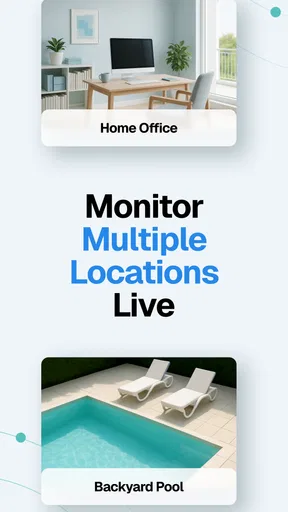
Surveillance Camera: Visory provides a range of features, including live video streaming, motion detection, and cloud storage for recorded footage. Users can also set up alerts for unusual activity and access multiple camera feeds simultaneously. The app is designed to be user-friendly, making it easy to monitor your spaces at any time.
Is Surveillance Camera: Visory compatible with my device?
The app is compatible with most modern Android and iOS devices. Ensure your device has the latest operating system updates for optimal performance. Additionally, check the app’s compatibility list on the download page to verify that your specific model is supported before installation.
How does the app ensure data security and privacy?
Surveillance Camera: Visory uses advanced encryption protocols to protect your data. The app offers secure login features and allows users to set up two-factor authentication. Additionally, recorded footage stored in the cloud is encrypted, ensuring that your privacy is maintained at all times.
Are there any subscription fees associated with the app?
While Surveillance Camera: Visory offers a free version, it also has a premium subscription option. The premium version includes additional features like extended cloud storage, higher resolution streaming, and priority customer support. Check the app store for detailed pricing and subscription options.
Can I access my camera feeds remotely?
Yes, Surveillance Camera: Visory allows you to access your camera feeds remotely from any location with an internet connection. This feature is particularly useful for keeping an eye on your home or business while you are away, providing peace of mind with real-time updates.
